
A Server That Thinks For Itself
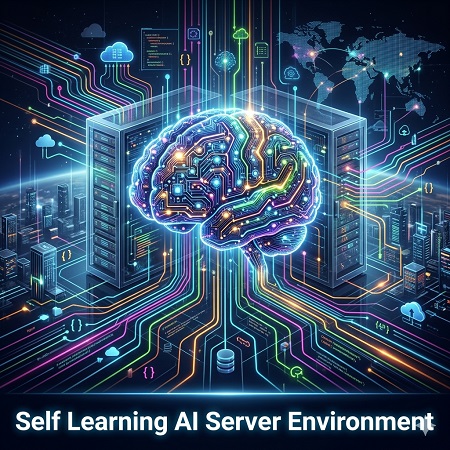
Learning Agents are not chatbots, and they are not simple automations that run a script and stop. They are persistent AI server environments where multiple specialized agents run in parallel, each handling a different part of your business. A central brain monitors every agent, extracts patterns from their results, and adjusts strategy automatically. The agents build on each other's work, share knowledge through a memory bank, and get measurably better at their jobs over time. You set the goals, the system figures out how to reach them. Every decision, every action, every outcome is logged and used to improve the next cycle.
Your Business Never Stops Moving
Every fifteen minutes, each agent wakes up and does real work. The research agent finds new opportunities. The content agent builds and publishes pages. The outreach agent sends personalized messages and handles replies. The service agent reads incoming emails and drafts responses. While you sleep, the system is creating, publishing, engaging, and learning from every interaction. When something needs your attention, it flags it and keeps going with everything else. When you come back, you review what happened, approve what is pending, and adjust direction. The agents handle the volume, you handle the vision.

Intelligent Contact Management
A complete AI relationship management system that knows every contact individually, remembers every conversation, and writes messages that reflect real context. Split tests different approaches, tracks results through Google Analytics, builds campaign landing pages, and improves based on actual engagement data across email and SMS.
Learn more about Marketing Outreach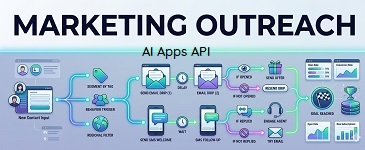
Search Rankings Built From Real Data
Reads your Google Search Console data to find keywords you are already appearing for, discovers gaps your competitors are not covering, and builds optimized pages structured to rank. Every page goes through research, writing, critical review, and revision before it deploys. The system tracks what ranks, learns what performs, and adjusts based on real traffic data.
Learn more about SEO Content Automation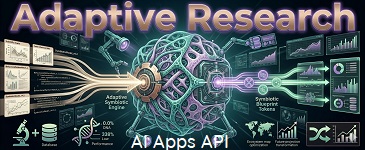
Support That Gets Smarter Every Day
Connects to your real email inbox and web forms, reads every message in the context of that customer's complete history, and drafts replies that reflect the full relationship. Every resolved issue builds the knowledge base automatically, so the second time a problem comes in, the answer is already there. You control what gets sent and what you review first.
Learn more about AI Customer Service
Your Codebase Backlog, Handled
Finds TODOs you left behind, writes missing documentation, adds tests where coverage is thin, and researches your dependency ecosystem for updates and better alternatives. It reads your conventions before writing anything and never makes architectural decisions. Changes that require your judgment become proposals. Everything else just gets done.
Learn more about AI Development Teams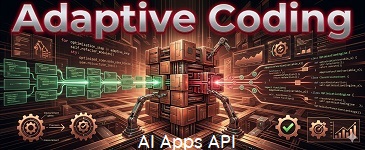
Consistent Presence Across Every Platform
Monitors mentions and comments across Bluesky, X, Facebook, and Instagram from one place. A research agent discovers content worth posting by tracking your industry and competitors. Drafts responses in your voice and queues everything for your approval before it goes out. You set the brand voice, the rules, and the topics to avoid.
Learn more about AI Social Media Management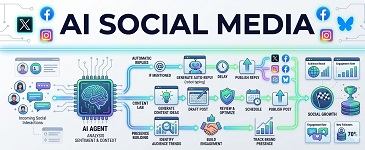
Tell Us About Your Business
AI Apps API: The Platform Behind It All
Our API platform gives you access to pre-built AI applications that handle real business tasks through simple API calls or a visual admin panel. Deploy a chatbot trained on your own data, host a full website with our website builder, run email and SMS messaging systems with built-in deliverability management, and more. Every app runs serverless on AWS with automatic scaling, built-in database storage, and access to AI models like GPT and Claude without managing API keys or rate limits yourself. If none of the existing apps do what you need, the platform builds custom server-side applications through AI that run on the same infrastructure. Developers integrate through the API. Non-technical users manage everything through the admin interface. Automated workflows chain any combination of apps and external services into multi-step processes that run on demand or on a schedule. Pay per usage pricing means you only pay for what you actually use, costing only pennies to try.